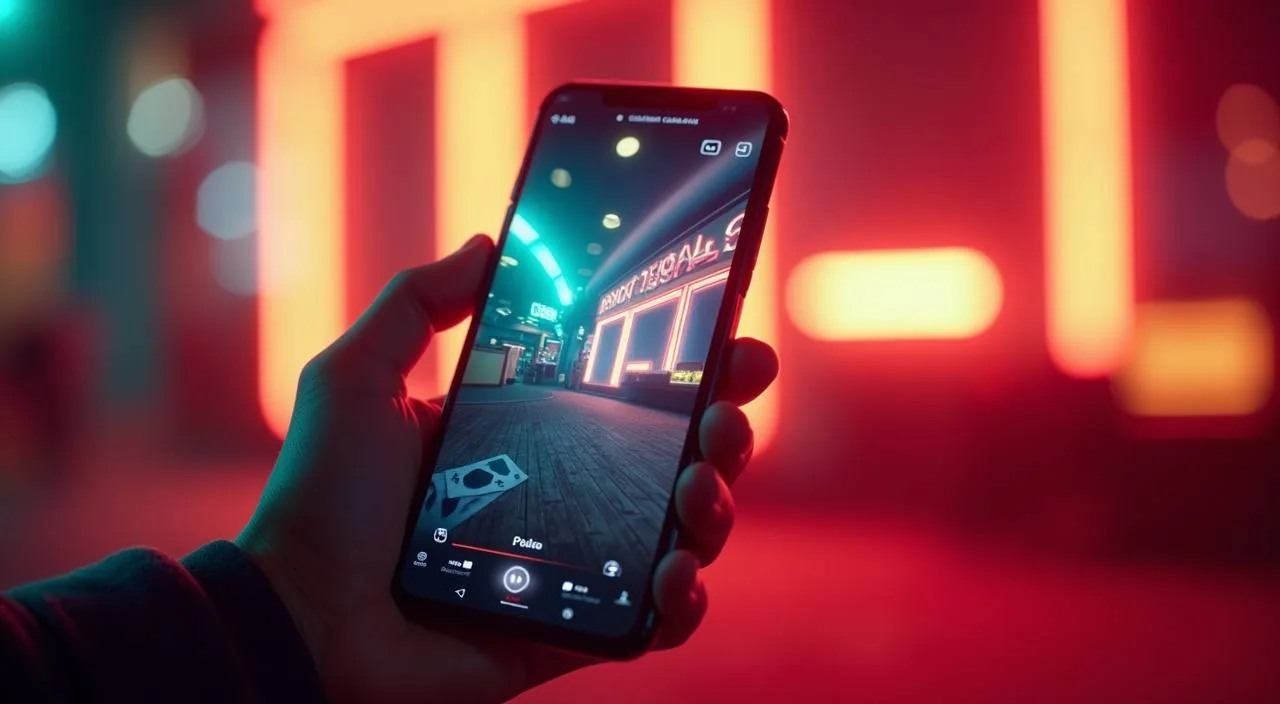
The ky444 lobby runs directly from your mobile browser — no waiting for an app store, no file to install. Open ky444 on your phone, sign in to your account, and the full lobby is there: slots from PG Soft and Pragmatic Play, live casino tables, and cricket-led sportsbook markets, all sized for a phone screen.
When you load ky444 on a phone, the page layout shifts to a single-column format built for thumbs. The navigation bar stays fixed at the bottom so you can move between slots, live casino and sportsbook without scrolling back to the top. Your account wallet, deposit history and withdrawal requests are all reachable from the account icon in the top right corner.
APP FEATURE SNAPSHOT
Mobile Access Features You Can Verify Right Now
These are the access features visible in the ky444 mobile browser experience. Each one reflects what you can check when you open the site on your phone — no assumptions about native-app behaviour, push alerts or offline play have been made here.
Responsive layout
The lobby automatically resizes for your screen. Menu items stack into a compact bar at the bottom so you can reach slots, live tables and your account without pinching or zooming. Works on both Android and iOS browsers.
Account route on mobile
Your full account — wallet balance, transaction history and profile settings — loads from the account icon on the mobile header. No desktop switch needed to check your last deposit or update contact details.
Game discovery rail
A horizontal category rail lets you scroll through game tiles from studios like PG Soft, Pragmatic Play, CQ9 and Habanero. Tap a tile to open the game directly in the mobile browser without a separate launcher.
Help page access
The support and help section is one tap away from the main mobile menu. You can read published device guidance, check the current FAQ or find the contact route without switching to a desktop view.
BROWSER ACCESS STEPS
Mobile Access in Three Steps
Getting into the ky444 lobby on your phone takes three steps and no file download. First, open your phone's browser — Chrome on Android and Safari on iOS both render the site without extra setup — and navigate to ky444. Check that the address bar shows the correct domain before you enter any account details.
Open ky444 in your browser
Type the address directly or use a saved bookmark. Confirm the domain in the address bar before proceeding.
Sign in to your account
Enter your email and password on the login screen. Follow any verification prompt shown there before the lobby loads.
Navigate using the mobile menu
Use the fixed bottom bar to switch between slots, live casino, sportsbook and your account wallet without reloading the page.
DEVICE COMPATIBILITY CHECK
Browser and Device Compatibility for ky444
Before you rely on the mobile browser path for a session, it is worth checking that your device and browser combination is current. The ky444 mobile layout is designed around modern browser engines. If anything looks out of place — a broken layout, a game that will not load, a login button that does not respond — the steps below help you identify whether the issue is the browser version, a cached page state or a device setting.
Browser version
Use a recently updated version of Chrome, Firefox or Safari. Older browser builds may not render the mobile layout or the game launcher correctly. Check your browser's update settings if tiles appear broken.
Screen layout
The lobby is designed for portrait orientation on phones. Landscape mode works on most devices but some game tiles may reflow differently. If layout looks off, rotate back to portrait and reload.
Account requirements
A registered and verified ky444 account is required before you can access wallet functions or launch games. The registration form is on the main login page — complete all fields and follow the confirmation step shown there.
Supported devices check
ky444 does not publish a specific hardware list, but any phone running a current Android or iOS version with a standard browser should load the site. If your device has trouble, check the published help page for current guidance.
Cache and cookies
If you have visited the site before and the page loads incorrectly, clearing your browser cache and cookies usually restores the correct layout. This is also the first step if your session fails to persist after login.
MOBILE HELP ROUTES
Help Paths for Mobile Access Issues
If you run into trouble accessing ky444 from your phone — a login that will not complete, a game that fails to load or a wallet action that stalls — the support section of the site has published routes you can use without switching to a desktop. Use the contact path that matches how urgently you need a response, and always include your registered account email so the team can locate your record quickly.
In-site help page
The help section is accessible from the mobile menu. It covers common access questions, account recovery steps and published device guidance. Start here before reaching out directly — most browser and login issues are addressed in the FAQ.
Live chat support
If the help page does not resolve your issue, the live chat route is visible in the support section when it is active. Share your registered email and describe the specific step where access failed so the team can respond with the right fix.
Account recovery path
For a locked account or a forgotten password, use the recovery link on the login page. Follow each field and verification step shown there. If the recovery email does not arrive, check your spam folder before contacting support.
ACCESS TRUST CHECKS
How to Keep Your ky444 Mobile Access Secure
Mobile access through a browser carries the same account security responsibilities as a desktop session. A few simple checks protect your account whether you are opening the lobby for the first time or returning after a few days away. These are the published practices the ky444 account system is built around — follow them each time you access the site from a new or shared phone.
Verify the domain
Always confirm that the address bar shows ky444 before entering your credentials. Phishing pages often look identical to the real site but use a slightly different domain spelling. Bookmark the correct address once you have verified it.
Review published device guidance
The help section on the site publishes current device and browser guidance. If access behaviour changes after a site update — new layout, new login flow — check there first rather than assuming the site is broken.
Protect your account credentials
Use a password that is unique to ky444 and not shared with your email or mobile wallet. Avoid saving your password in a shared or public phone browser. If you suspect your credentials have been exposed, change your password immediately from the account settings page.
Use the published recovery path
If you lose access to your account, the recovery route on the login page is the only verified path back in. Do not share account details with anyone offering to recover your account through a third-party channel — use only the link shown on the official site.
APP QUESTIONS ANSWERED
Common Questions About the ky444 App
These questions come up most often when you are trying to get the ky444 mobile experience working on your phone. Each answer covers the verified access information — no invented file sizes, store listings or download steps are included.
Does ky444 have a downloadable app for Android or iOS?
At this time, ky444 has not confirmed a native app with a verified store listing. The supported access route is the mobile browser at ky444. The site is built to work on current Android and iOS browsers without any download.
How do I open the ky444 lobby on my phone?
Open Chrome on Android or Safari on iOS, type ky444 into the address bar, and verify the domain before logging in. Once you sign in, the lobby loads in mobile layout with a fixed bottom navigation bar for switching between game categories.
Why does the ky444 mobile page look broken on my phone?
A broken layout is usually caused by an outdated browser or a cached page state. Update your browser to the latest version, clear the cache and cookies, then reload ky444. If the issue continues, check the published help page for current device guidance.
Can I access my wallet and transaction history from the mobile browser?
Yes. Your wallet balance, deposit history and withdrawal requests are all reachable from the account icon in the mobile header. No desktop session is needed to check account activity or review a recent transaction.
Is the ky444 mobile browser experience the same as a desktop session?
The core lobby — slots from studios like CQ9, Habanero, PG Soft and Pragmatic Play, live casino tables and the sportsbook — is accessible from both. The mobile layout stacks the navigation into a bottom bar and the game rail becomes horizontal for thumb-friendly scrolling.
What should I do if my ky444 login does not work on mobile?
First, confirm you are on ky444 and not a lookalike domain. If the credentials are correct but the login stalls, clear your browser cache and try again. For a forgotten password, use the recovery link on the login page and follow each step shown there.
 Mobile / Slots